How to import purchase invoices into TallyPrime — every method, compared
Three ways to get a GST purchase bill into TallyPrime as a voucher: manual F9 entry, Excel/XML/JSON import, and automated AI extraction with a connector. The exact steps, and when each makes sense.
Published 14 June 2026
By Himanshu Bhatnagar, Founder, MoneyMistri
There are three ways to get a GST purchase bill into TallyPrime, and they sit on a clear trade-off between effort and scale. You can type it in by hand as a Purchase voucher (F9) — total control, no setup, but minutes per bill. You can import a batch from Excel, XML, or JSON using Tally's native Import Data — fast when the data is already digitised and GST-correct. Or you can automate the capture — software reads the bill, validates the GST fields, and creates a reviewable voucher or draft transaction. That third route now includes Tally's own TallyIra / Docs by Ira workflow as well as third-party tools like MoneyMistri. This guide covers all three: the exact steps for manual entry, how native import works and where it breaks, and what automated bill-to-voucher actually does — so you can match the method to your volume.
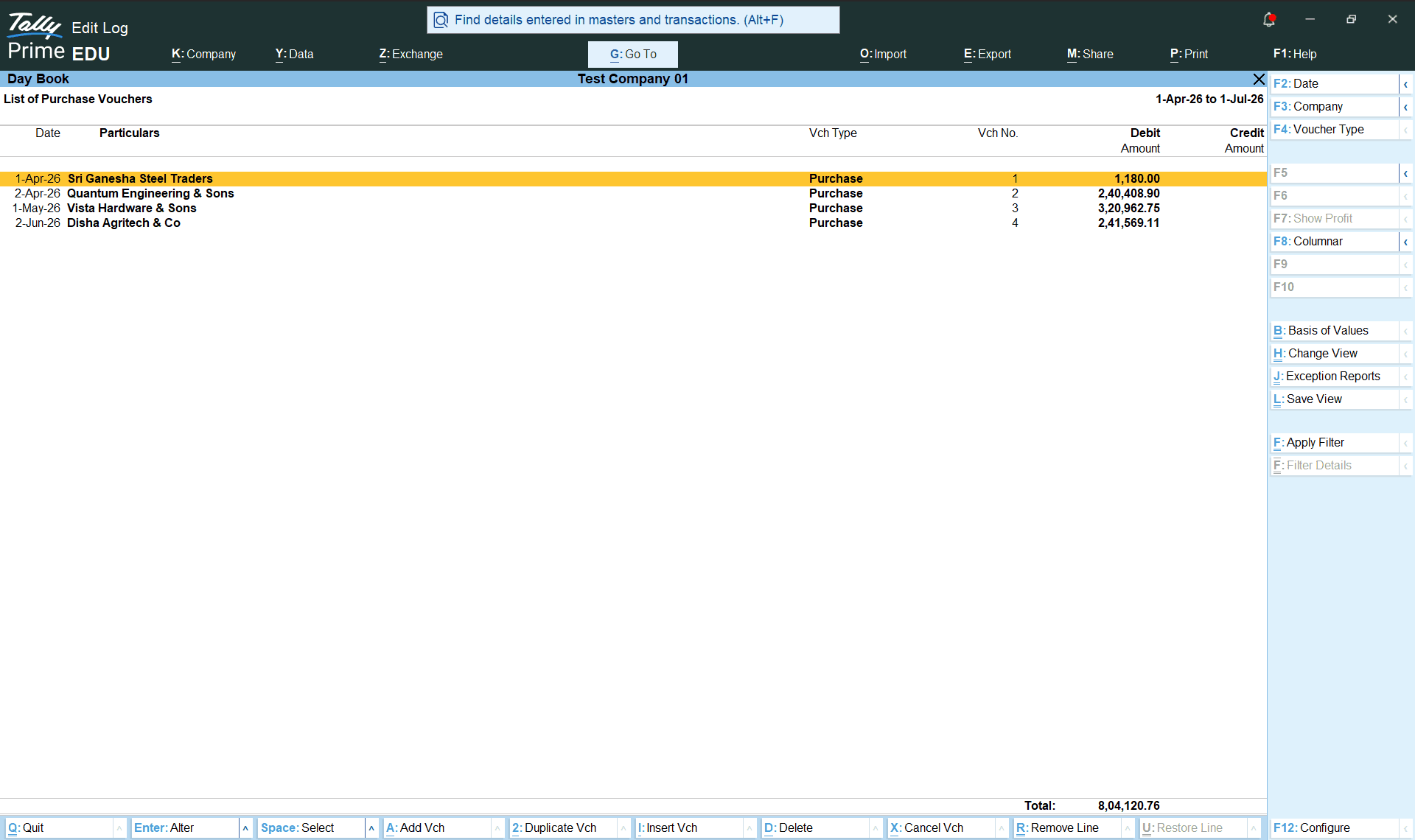
The three routes at a glance
| Method | Setup | Per-bill effort | Best for |
|---|---|---|---|
Manual F9 entry | None | High — minutes per bill | A handful of bills a month |
| Excel / XML / JSON import | Moderate (mapping) | Low per batch, but data must already be clean | Migrations, exports from another system |
| Automated extraction + connector | One-time connect | Lowest — review only | Dozens or more paper/PDF bills a month |
Method 1 — enter it manually as a Purchase voucher (F9)
The built-in way, and the right one when volume is low. In TallyPrime:
- Open the purchase voucher. Press
Alt+G, choose Create Voucher, and pressF9for Purchase — or from the Gateway of Tally, open Vouchers and pressF9. UseCtrl+Hto switch between Item Invoice (goods) and Accounting Invoice (services). - Pick the registration (if you have more than one). Press
F3and select the GST registration this purchase belongs to. - Enter the supplier invoice number and date exactly as printed on the bill.
- Select the supplier in Party A/c name (or Cash/Bank for a cash purchase), and set the Place of Supply in the Party Details screen.
- Select the purchase ledger — one that is marked as GST applicable.
- Add the line items — stock items with quantity and rate (Item Invoice), or service ledgers with amounts (Accounting Invoice).
- Apply the GST ledgers — CGST and SGST/UTGST for a local purchase, IGST for interstate (and Cess if it applies).
- Save with
Ctrl+A.
It's reliable and costs nothing extra. It's also where data-entry errors enter your books — a transposed GSTIN, an invoice number typed as "312" instead of "KSE/2025-26/0312", the wrong tax head. None of those announce themselves; they surface weeks later, at GSTR-2B reconciliation, when a credit you expected isn't there.
Method 2 — import from Excel, XML, or JSON
TallyPrime imports both masters (ledgers, stock items) and transactions (vouchers) natively. Press Alt+O for Import, choose Masters or Transactions, and point Tally at the file. Excel import has been supported since Release 4.0, and Release 7.0 added JSON alongside the long-standing XML format. Import masters first, then transactions, so the parties and items a voucher refers to already exist when it lands.
The catch is in the word clean. Tally imports what you give it: if a row is missing a mandatory field, names a ledger that doesn't exist, carries an invalid GSTIN, or duplicates an existing voucher, Tally raises an exception and parks the row rather than guessing. So import is excellent for moving structured data into Tally — a migration, an export from a billing app — but it does nothing to turn a PDF or a photo of a supplier's bill into that structured row. Something still has to digitise and GST-validate the bill first.
Method 3 — automate the capture (extraction + connector)
This is the route built for the common case: dozens of paper or PDF purchase bills a month that nobody wants to retype. The shape is always the same — software reads the bill (a job that needs more than plain OCR; see GST invoice OCR for Tally), validates the GST fields deterministically, lets a human review and correct, then writes a finished Purchase voucher into Tally.
The writing step uses Tally's own data gateway. TallyPrime runs a built-in HTTP server (default port 9000) that accepts vouchers posted as XML in Tally's native structure, so a local connector can push a validated voucher straight in — and read it back to confirm it actually landed. That is the pipeline MoneyMistri runs end-to-end, with a deterministic GST gate (GSTIN checksum, tax-mode and totals consistency) before anything reaches the connector. The anatomy of the voucher itself is covered in Tally purchase voucher automation.
"Doesn't TallyPrime do this itself now?"
Yes, partly. Tally now lists TallyIra / Docs by Ira as an AI invoice processor that scans or imports supplier invoices and creates draft transactions inside TallyPrime. That is an important change: for many Tally operators, the first comparison should be TallyIra versus a third-party automation tool.
The distinction is workflow. TallyIra is designed around draft-voucher creation inside the Tally environment. MoneyMistri is designed around owner-side capture, shared review with the accountant, deterministic GST validation before posting, and read-back verification after the connector writes to Tally. If you only need a Tally-native draft from a bill image, evaluate TallyIra. If you need capture outside Tally, GST gates, collaboration, and books that surface leaks, evaluate a pipeline like MoneyMistri.
What every method must get right
Whichever route you choose, a GST purchase voucher is only useful if a few fields are exactly right — because they are what your input tax credit depends on:
- The supplier GSTIN, character for character. A wrong one routes the invoice into a different buyer's GSTR-2B, and your credit with it. Validate it before posting.
- The invoice number exactly as printed (up to 16 characters under Rule 46). "312" and "KSE/2025-26/0312" will not reconcile against your 2B.
- The right tax heads — CGST + SGST/UTGST for a local purchase, IGST for interstate, driven by place of supply. Booking the wrong head is wrongly availed credit even when the total matches.
- HSN/SAC and rate per line, so the taxable value and tax foot correctly.
Get these right at entry and the month-end 2B match is quick; get them wrong and you are hunting mismatches under a deadline. That is the real reason automation pays off above a certain volume — not the typing it saves, but the errors it refuses to let through.
TallyPrime navigation, shortcut keys, import behaviour, the port-9000 gateway, and TallyIra status described here reflect public Tally sources checked in June 2026. Tally updates its software and help docs regularly, so confirm the current steps on help.tallysolutions.com before relying on specifics.
See what your books are hiding.
MoneyMistri reads your bills, keeps Tally current, and makes leaks like these visible. Free to start — no card required.
Sources
Primary references for the facts and figures above. External links open in a new tab.
- Record GST purchases in TallyPrime — Tally SolutionsOfficial steps to record a GST purchase invoice as an F9 Purchase voucher (party ledger, purchase ledger, stock items, CGST/SGST or IGST).
- How to import data into TallyPrime — Tally SolutionsTallyPrime imports masters and transactions from Excel, XML, and JSON (JSON added in Release 7.0); mismatched rows raise exceptions.
- TallyPrime XML integration (HTTP server, port 9000) — Tally SolutionsTallyPrime's built-in HTTP server (default port 9000) accepts vouchers posted as XML in Tally's native structure.
- TallyIra / Docs by Ira app listing — Tally SolutionsTally lists Docs by Ira as an AI invoice processor that reads supplier invoices and creates draft transactions inside TallyPrime.
- CGST Act, 2017 — Section 16 (input tax credit) — GST Council, Government of IndiaITC depends on a correct supplier GSTIN, invoice number, and tax head — the fields a voucher must capture.
- GSTR-2B — auto-drafted ITC statement (FAQ) — GST Network (official GST portal)Entry errors surface here, at month-end reconciliation against the supplier-reported 2B.
Keep reading
Tally purchase voucher automation: how bill-to-voucher actually works
What a TallyPrime purchase voucher is made of, and how automation builds one end-to-end — extraction, GST validation, the port-9000 XML push, and read-back verification.
GST invoice OCR for Tally: why OCR alone fails, and what actually works
Plain OCR reads text; it doesn't understand a GST invoice. Why OCR-only tools break on real bills, how AI extraction differs, and what accuracy to expect before data reaches Tally.
Matching GSTR-2B with your purchase register — the complete practical guide
GSTR-2B is generated on the 14th each month. Reconcile it with your purchase register through IMS before GSTR-3B — the full 2026 routine and fixes.